
Hindi News by Dainik Bhaskar
Dainik Bhaskar GroupNews & Magazines
4.02.20K Reviews
- Version
- 14.14.2
- Installs
- 100.00M
- Age Rating
- Everyone
Screenshots

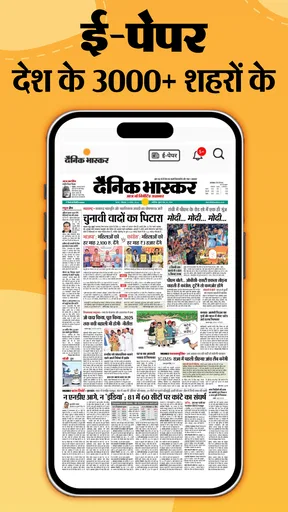
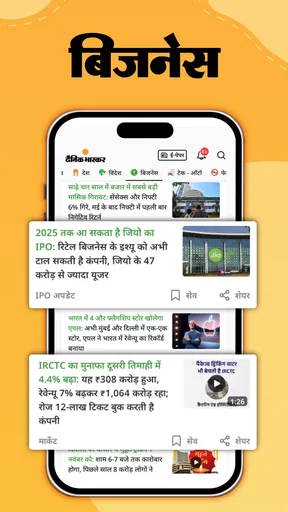
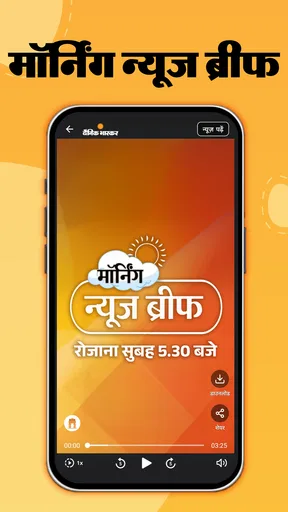
Our Review of Hindi News by Dainik Bhaskar
 Analysis by Appyee
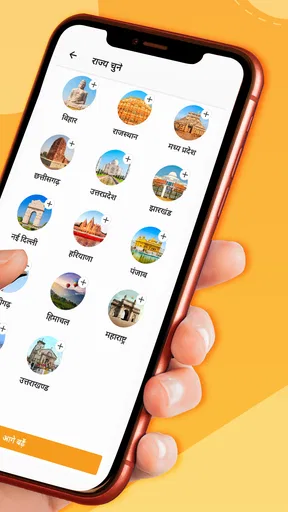
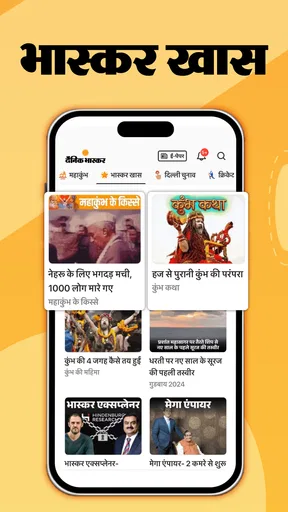
I tend to reach for a Hindi news app when I want to check what is happening nearby without having to search across several sites. Hindi News by Dainik Bhaskar is built around that habit: it brings local reporting, wider news, an ePaper and video into one place. Its usefulness depends in part on having a working connection, so I see it as a handy companion for a commute or a quiet check-in at home, rather than a source I would rely on to load fresh stories in every situation.
How the news fits into a connected day
I use a news app most effectively when it fits the gaps in my day, rather than turning every spare minute into another scroll. Here, the useful question is when a connection makes local reporting, longer reading, or video worth opening—and when it is better to wait. Thinking about those moments helps me decide how to use the app without letting alerts or loading delays set the pace.
When a live connection matters
News is most valuable when it is current, and the app’s promise of timely updates makes a network connection central to the experience. With a reliable signal, I can open it to check developing stories and then move between local coverage and broader topics. If reception is weak, the practical choice is to wait for a stronger connection before expecting new material to appear. I would not plan around being able to refresh or watch video in a dead zone.
That distinction matters for breaking news. A notification can draw attention to a story, but opening it and following the coverage still depends on the phone’s connection. When the subject is urgent, I treat the app as one useful source rather than assuming a single feed will tell the whole story. Checking the article’s context and comparing major developments with another trusted outlet is a sensible habit, especially when early reports are changing.
Reading in the places people actually use a phone
The app makes most sense in short sessions: checking local headlines over breakfast, catching up while waiting for an appointment, or reading a longer report when the day slows down. Hindi-first readers who want both city-level coverage and national subjects may find that mix more convenient than switching between a newspaper site and a separate video app. The ePaper also gives the experience a newspaper-like option for readers who prefer to scan pages rather than move story by story.
A realistic routine might be to glance at the local feed before leaving home, save an article that needs more attention, and return to it during a lunch break on a steadier connection. That is a better use of the app than trying to consume every alert as it arrives. I would also be selective with notifications: keep the alerts that help you notice important developments and silence categories that turn a quick check into constant interruption.
What to do when loading stalls
If a page or video takes too long to open, I first check whether other apps are also struggling. When the problem seems limited to this one, closing and reopening it or trying again after moving to a stronger signal is a straightforward next step. A stalled video does not necessarily prevent me from using the app for text, so I switch to reading when bandwidth is limited instead of repeatedly tapping the same control.
For a story I do not want to lose track of, bookmarking is a useful part of the workflow described in the app. I can mark it while I have access and return later, but I would not confuse a saved item with a guarantee that its full contents will be available without a connection. If I know I will be offline, I make time to read while the network is working rather than counting on a refresh during travel.
Being deliberate about data use
Text is generally the more practical choice when I am trying to keep mobile data use in check. Video and image-heavy stories can be less convenient on a limited connection, so I save them for Wi-Fi or a moment when I am comfortable using cellular data. This is especially relevant when opening a string of clips from several stories: each may feel brief, but browsing them one after another can use more data than a quick headline check.
A simple approach is to scan headlines first, open only the reports that matter, and leave video for later. That also makes the app feel less distracting. If your plan is tight, avoid treating a video feed as background entertainment and use the text coverage for routine updates. Readers who mainly want a low-data way to follow news may prefer a text-focused source, while those who value the combination of reporting and visual coverage may find the trade-off worthwhile.
Who will get the most from it
I think the app is best suited to people who read Hindi comfortably and want local news alongside national coverage, with an ePaper and videos available in the same news environment. It can also help someone who has family or work ties to a particular city and wants a regular way to check what is happening there. The local emphasis is a meaningful reason to choose it over a general news aggregator that may prioritize national headlines and give less prominence to a reader’s immediate area.
It is not automatically the right fit for everyone. Someone who wants news primarily in English, prefers a very narrow subject feed, or avoids video and frequent updates may be happier with a specialized publication or a simpler text-based reader. Likewise, readers who need dependable access while travelling through places with poor reception should not assume that a connected news app can replace a prepared offline reading routine.
Compared with visiting several newspaper websites, having local stories, videos and an ePaper in one app can reduce the effort of moving between sources. Compared with a broad aggregator, the appeal is a Hindi-focused experience and attention to city news; the trade-off is that readers should still seek other perspectives when a story is important. I use a single publication for convenient day-to-day reading, not as a reason to stop comparing coverage.
For a practical first try, choose the city and topics that matter to you, then spend a few days noticing which sections you actually open. Keep only useful alerts, bookmark longer reads rather than interrupting work to finish them, and use Wi-Fi for video if data is a concern. Those small choices help turn a busy feed into a routine that serves you instead of demanding attention all day.
Getting Started with the App
Jumping into the Hindi News by Dainik Bhaskar app is like diving into a treasure trove of information. Downloading it is a breeze, available on both Android and iOS platforms, so no one misses out. Once installed, you'll be greeted with a clean and intuitive interface that makes navigation a piece of cake. The app is designed to cater to both tech-savvy users and those who prefer a no-fuss experience.
Content That Keeps You Hooked
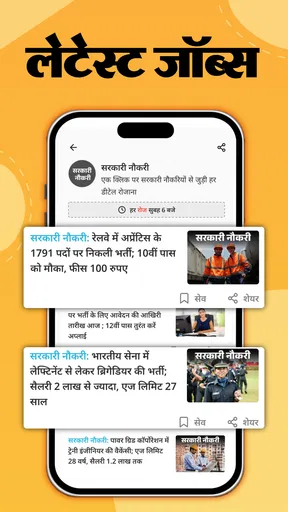
What sets this app apart is its vast array of content. Whether you're interested in politics, entertainment, sports, or lifestyle, it's all here. The app ensures that you're updated with news from every corner of India. The best part? It’s all in Hindi, making it super accessible for native speakers. You can even customize your news feed to prioritize the topics that matter most to you. Pretty neat, right?
Another cool feature is the real-time updates. This means you're always in the loop with breaking news as it happens. Gone are the days of waiting for the evening bulletin; now you can stay informed on the go.
Features That Stand Out
Let's talk features. The app offers in-depth analysis and opinion pieces, which I find particularly engaging. It gives you a broader perspective on current events, which is crucial for understanding the bigger picture. You can also bookmark articles to read later, perfect for when you're in a rush but don't want to miss a good read.
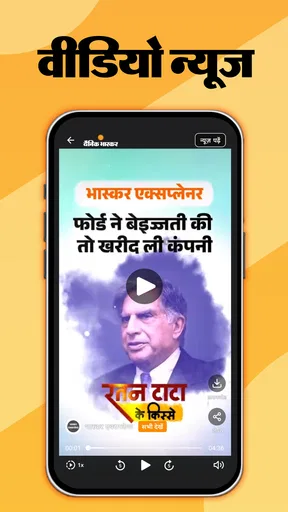
For those who love visuals, the app doesn't disappoint. It integrates videos and photo galleries seamlessly, so you get a dynamic experience with every story. This multimedia approach makes it more than just a news app; it's a full-fledged media experience.
Keeping It User-Friendly
One of the standout aspects is how user-friendly the app is. The developers have clearly put a lot of thought into the design, ensuring that it’s not cluttered or overwhelming. Even if you're not the most tech-savvy person, you’ll find navigating through the various sections a breeze.
Notifications are another handy feature. You can customize them to get alerts for specific news categories or big breaking stories. This way, you're always one step ahead without being bombarded with information you don't need.
Why It’s Worth Your Time
In a world where information is power, having a reliable source of news is invaluable. The Hindi News by Dainik Bhaskar app delivers on this front, providing comprehensive coverage in a language that resonates with many. It’s perfect for those who want news that’s not just quick but also reliable and insightful.
If you’re someone who enjoys staying informed and prefers content in Hindi, this app is a must-have. It blends technology with journalism, delivering an experience that’s both informative and engaging. Plus, it’s free, which is always a bonus!
So, if you haven’t already, give the app a try. It might just become your go-to source for all things news in Hindi. Trust me, you won't regret it!
The practical details and my verdict
Published by Dainik Bhaskar Group, this free news and magazines app has been available since January 7, 2014. Its current version is 14.14.2, and it requires Android 6.0 or later. The app is rated for Everyone, which makes it broadly accessible, though parents should still guide younger readers through news topics and video content as they see fit.
Its 4.0 average comes from around 688,000 ratings, and it has passed 100 million installs. Those figures suggest a widely used product, but popularity alone is not a substitute for judging whether its Hindi coverage and local focus suit your needs. I would make that decision based on the sections you return to and whether the balance of text, ePaper and video fits your reading habits.
My overall view is that this is a useful choice for Hindi readers who want a regular connection to city news and a broader selection of current affairs in one place. Its strongest everyday role is as a convenient check-in, not as an all-purpose replacement for every source or a promise of uninterrupted access. If you are comfortable reading with a network connection and are willing to manage alerts and video deliberately, it is worth trying; if your priority is offline access, minimal data use, or a different language, another kind of news app will likely fit better.
How Hindi News by Dainik Bhaskar Compares
Full ComparisonGoogle News suits readers who want a broad personalized feed, Flipboard suits people who enjoy curated magazine-style reading, and Dainik Bhaskar is the clearest fit for Hindi news from across India.
| App | Developer | Rating | Price |
|---|---|---|---|
 Google News - Daily Headlines | Google LLC | 4.0 | Free |
 Flipboard:Your Social Magazine | 3.4 | Free | |
 Hindi News by Dainik BhaskarThis App | Dainik Bhaskar Group | 4.0 | Free |
Verdict
Strengths of Hindi News by Dainik Bhaskar
- User-friendly interface with easy navigation.
- Comprehensive news coverage across India.
- Real-time updates keep content fresh.
- Customizable notifications for breaking news.
- Offline reading mode for convenience.
Limitations of Hindi News by Dainik Bhaskar
- Ads can be intrusive during use.
- Requires internet for full functionality.
- Limited international news coverage.
- Some articles lack in-depth analysis.
- Occasional app crashes reported by users.
Similar Picks in This Category
View All
Google News - Daily Headlines
Google LLC4.0

X
X Corp.4.8

Flipboard:Your Social Magazine
Flipboard3.4

Opera News: breaking & local
Opera4.5

Way2News Daily News App
Way2News ( Formerly Way2SMS )4.6

SmartNews: Live News & Rewards
SmartNews, Inc.3.8
You May Also Like
View All
Frequently Asked Questions
What features does the Hindi News by Dainik Bhaskar app offer?
The Hindi News by Dainik Bhaskar app provides users with real-time news updates, covering national and international events. It includes categories like politics, sports, entertainment, and lifestyle. The app also offers multimedia content, including videos and photo galleries, as well as personalized news feeds based on user preferences.
Is the Hindi News by Dainik Bhaskar app available for both Android and iOS?
Yes, the Hindi News by Dainik Bhaskar app is available for download on both Android and iOS platforms. Users can find it on the Google Play Store for Android devices and the Apple App Store for iOS devices, ensuring a wide reach to various mobile users.
Does the app provide offline reading capabilities?
Yes, the Hindi News by Dainik Bhaskar app allows users to save articles for offline reading. This feature is particularly useful for users who wish to access news content when they are not connected to the internet, ensuring they stay informed at all times.
Are there any subscription fees for accessing content on the app?
The Hindi News by Dainik Bhaskar app is free to download and use, with no subscription fees. However, it may display ads within the app. Users can choose to opt for in-app purchases to remove ads or access premium features, enhancing the user experience.
How does the app ensure the accuracy of its news content?
The Hindi News by Dainik Bhaskar app leverages a team of experienced journalists and editors to ensure the accuracy and reliability of its news content. The app is committed to delivering fact-checked information, maintaining high journalistic standards to keep users well-informed with credible news.
